Train with a coach
A real coach, right on your Home screen
A human builds your program, every session lands on your calendar, and their messages arrive in your Inbox. You keep training the way you already do — with someone in your corner.
 Free to start · messaging your coach included on every tier
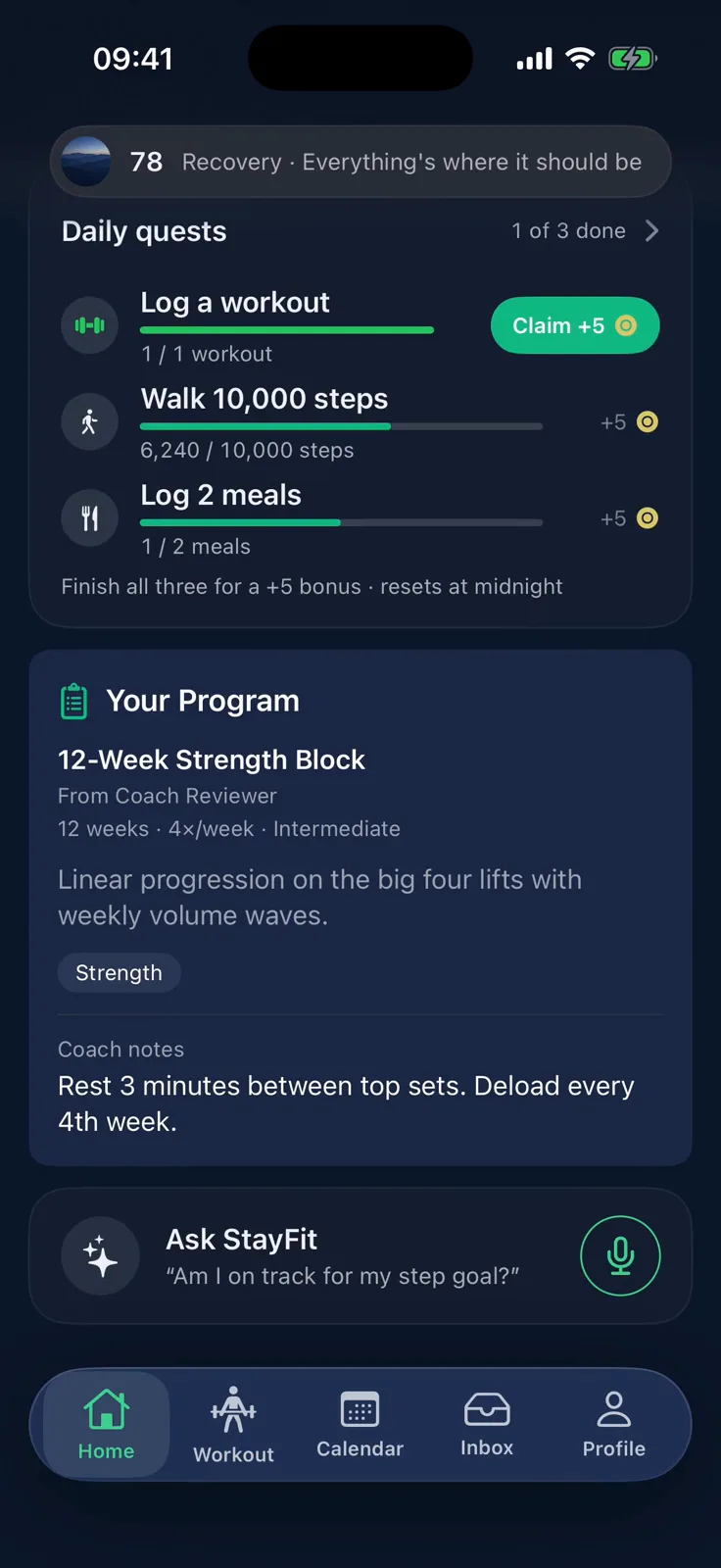
Silent screen recording of the StayFit iOS app in dark mode, signed in as a client with a coach. Home shows the daily quests and, below them, the Your Program card: the 12-Week Strength Block from Coach Reviewer with the coach's notes. The Inbox opens on Messages with the Coach Reviewer conversation on top, and the thread opens on the coach's latest messages about the 4-week block and the deload week. A separate cut of the same session as the home page's coaching video.
Coaching that shows up where you train
Not a PDF and a weekly text — your program, your progress and your coach live in the same app as your workouts.


A program built for you
Your coach builds your program and assigns it. It sits on your Home screen as a card with your coach's notes, and every session lands on your calendar automatically, week by week.
Progress they actually see
This is your coach's view of you: the readiness and sleep you chose to share, and your muscle recovery map. Further up the same page sit the sessions you completed and your compliance. Health numbers appear only if you switch sharing on. When your coach sends a check-in, you answer it in the app.
Messages, any time
Your coach's messages arrive in your Inbox, and you can reply on any tier — conversations with your own coach are included even on free.
You control what they see
Your coach sees the training you do with them. Everything else is off until you say yes.
Every sharing toggle starts off
Readiness, sleep and body weight reach your coach only if you switch each one on. Until you do, they see none of it.
Progress photos are never shared
Your photos stay yours. There is no toggle that shows them to your coach, because that view doesn't exist.
Revoke any time
Settings → Privacy → Coach Access lists exactly what you share. Flip a toggle off and the data stops flowing — your coach can't change it from their side.
Three steps, no paperwork
Your coach connects with you
They add you by username inside the app, send an email invite, or share a coach link — and you accept or decline it yourself. Your coach can be anyone coaching on StayFit, on a Pro, Max or Coach plan.
Your program arrives
Assigned sessions appear on your Home screen and calendar automatically. No importing, no copying a plan from chat.
You just train
Log workouts the way you always do. Completed sessions count toward your program, and your coach sees your compliance without asking for screenshots.
Your tier is the only bill StayFit sends you
Coaching happens inside StayFit. If you buy a package from your coach, you pay the coach through Stripe — StayFit takes no cut.
You pay for your own StayFit tier — and free works. Assigned sessions, the calendar and messages with your coach are all included without paying us anything.
Your coach pays for their own plan — their tools are their subscription, not a charge passed on to you through the app.
What you pay your coach goes to your coach — a coach can sell packages from their coaching page in the app. You pay through Stripe, straight into the coach's own Stripe account; the coach sets the price, is the seller and handles refunds. StayFit's fee is 0%, and a coach can still bill you outside the app instead.
Asked before saying yes to a coach
Ask your coach to find you on StayFit.
Free to start · your coach's messages included on every tier