StayFit for coaches
Coach your clients inside the app they already train in
Roster, programs, assignment and compliance — running where your clients already log every set, with a web dashboard on the same login.
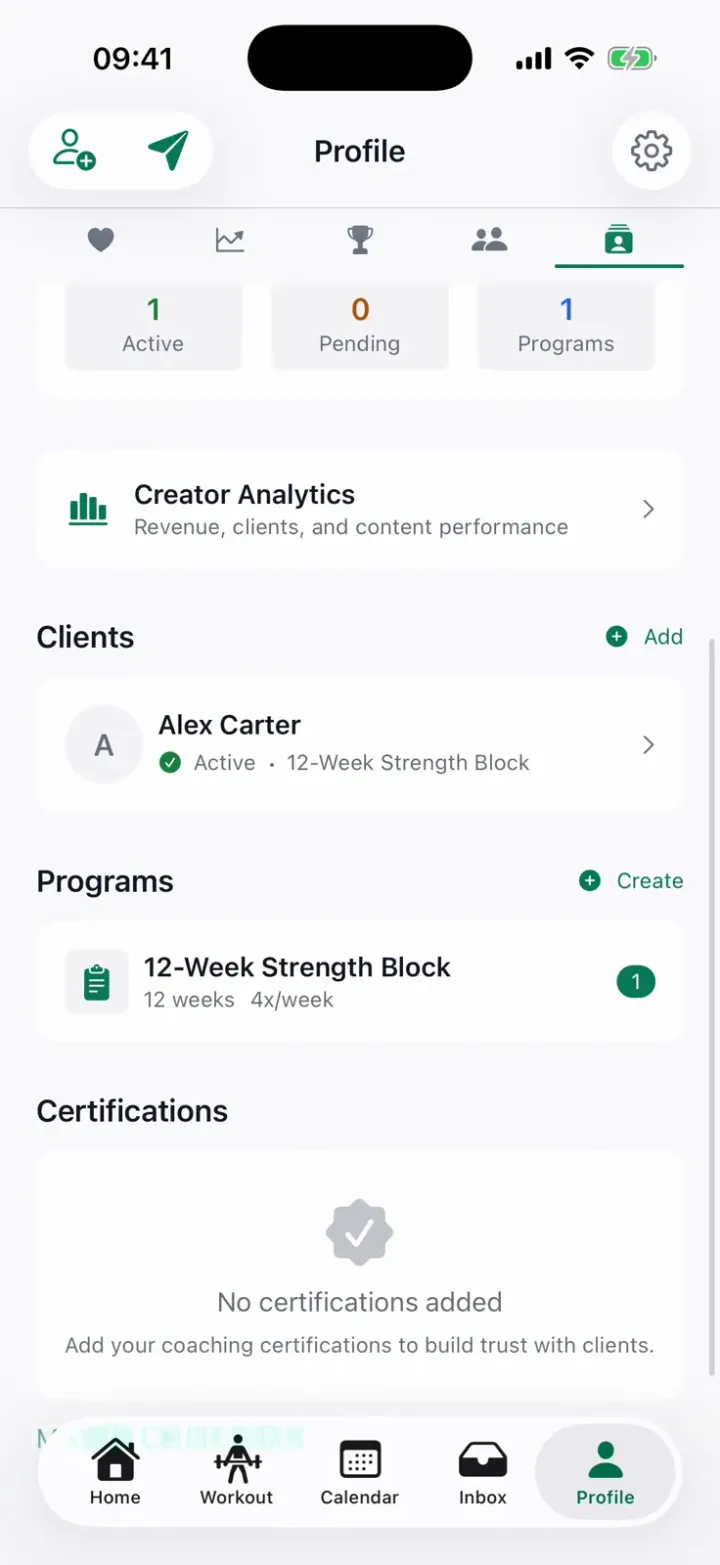
Silent screen recording of the StayFit iOS app in light mode, signed in as a coach. From Home, Profile opens on the Coach tab: the coaching practice dashboard with client slots, the client list, and programs. Tapping the client Alex Carter opens their detail: assigned program, progression stats, notes, shared health summary, and a recovery muscle map. The Inbox then opens the client conversation and the coach types and sends a message about tomorrow's session.
The whole coaching loop, in one place
Build the program, assign it, watch real compliance — against workouts your clients actually logged.


Your roster, at a glance
Every client with their status and assigned program in one list — and a per-client view with progress, compliance and streak behind each row.
Programs from 1 to 52 weeks
Name, duration, weekly frequency, difficulty, focus areas and notes. Workouts attach from the plans you've already built — write a program once, assign it for months.
Assign it — sessions generate themselves
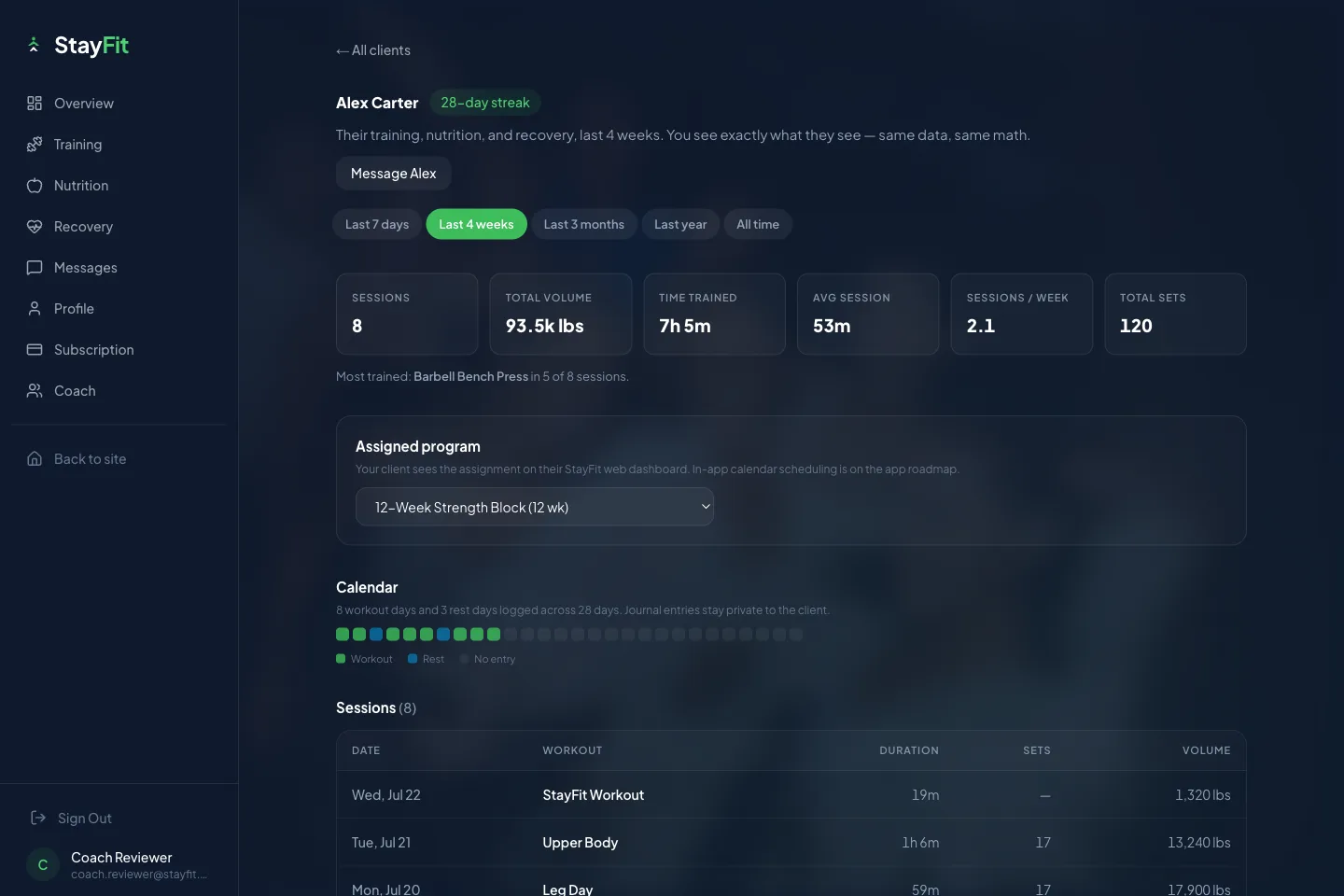
Pick a client, a start date and a block length. StayFit spreads each week's sessions across their calendar and Home screen automatically; completed workouts link back to your compliance view.
Private notes
Append-only notes on every client, visible to you alone.
Consent-gated health views
Readiness, sleep and body weight appear only when the client turns sharing on — every toggle starts off, on their side.
Message any client
The coach–client thread works even when your client is on the free tier — your conversations are never paywalled for them.
Same login, bigger screen
Everything above also runs at getstayfitapp.com/dashboard — sign in with the same account and coach from a laptop.
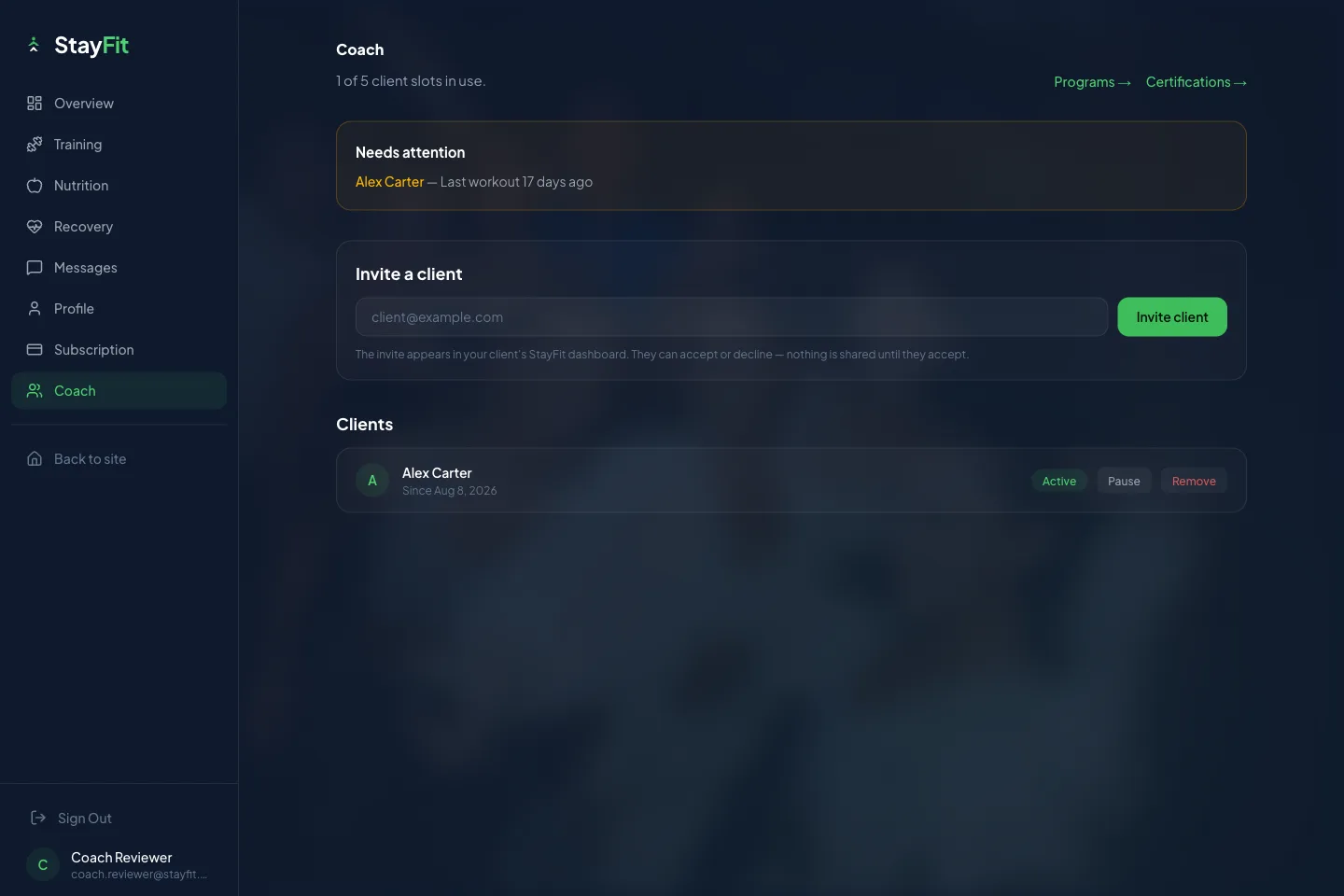
- Invite clients by email — they accept or decline from their own dashboard, and nothing is shared until they do
- Per-client training, nutrition and recovery charts — the same numbers your client sees, because it's the same data
- Check-ins with your clients, reviewed from the web
- Pause, resume or remove a client — access ends the moment you do
A person checks. It takes days, not seconds.
Verification is a real review, not a checkbox — here's exactly how it goes.
Submit a certification
Around 70 certification types across six categories are recognized — submit yours from the app or the web dashboard.
A person reviews it
Every submission is reviewed by a human, and verification completes on the web side of your account.
Verified within days
Once you're verified, invite your first client and assign your first program.

One plan. Add clients as you grow.
No coach free trial — we'd rather print that here than surprise you at checkout.
Coach — in the app
$49.99/mo
or $399.99/yr · billed through the App Store · no free trial
- 1 active client included — every Pro feature for your own training comes with it
- 5-client pack — $59.99/mo
- 10-client pack — $69.99/mo
- 20-client pack — $89.99/mo
- More than 20 clients? Contact us
On the web
Signing up at getstayfitapp.com instead? Purchased on the web; billed by Stripe.
- Coach Starter$49.99/mo
- Coach Growing$89.99/mo
- Coach Pro$149.99/mo
Each price applies on the channel that sells it — what you see at checkout is what you pay.
Where the money actually flows
Two different streams, two different rules — printed here so there's nothing to discover later.
Selling workout content
Sell programs and plans inside StayFit and you keep 70% — the platform fee is 30%, stated up front.
Payouts through Stripe
Onboard with Stripe Connect from the in-app wallet, then withdraw or receive scheduled payouts — monthly or biweekly, with a $25 minimum.
Your coaching fees
What you charge clients for coaching is yours to set and yours to bill, outside the app. StayFit doesn't price it, process it or take a cut of it.
Retire the spreadsheet-and-screenshots stack
Coaching out of a spreadsheet
- Workout logs arrive as screenshots, when they arrive
- The program lives in a spreadsheet your client opens twice
- Adherence means asking, then chasing
- Coaching threads scattered across whichever app answered first
Coaching inside StayFit
- Clients log every set in the app itself — you see what they actually did
- Assigned sessions land on their Home screen and calendar automatically
- Compliance is computed from completed sessions, week by week
- One thread with each client, in the same app they train in
What coaches ask before signing up
Bring your coaching where the training already happens.
Sign up on the web, get verified, invite your first client · your clients train free or on any tier